Construction closeout
Every punch item with a photo, a plan pin and the fix.
Upload the plans, walk the building with your phone, and talk or type a note on any photo. PunchScope builds one shared punch list, pinned to the plan and sorted by trade, that every sub can close out.
- Works offline on site
- Every item has a photo
- PDF per trade, XLSX, CSV

 HighA-1.1Entry vestibule · Door 104
Remove tape and touch up paint at door frame
“Tape line still on the jamb, needs a touch-up before the owner walk.”
One list, sorted for every trade on site
- Painting
- Drywall
- Flooring
- Electrical
- Plumbing
- Mechanical
- Glazing
- Millwork
- Doors and hardware
- Fire protection
- Concrete
- Roofing
How it works
From the drawing set to a closed punch list
- 1
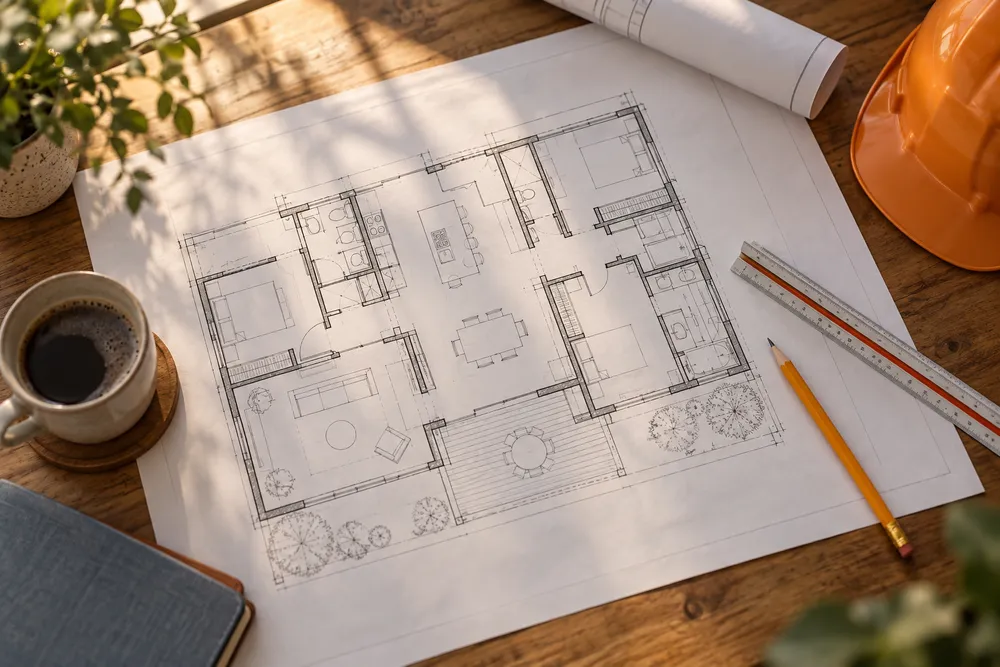
Upload the plans
Drop in the drawing set as a PDF. PunchScope finds the floor plans, reads the sheet numbers and builds a room-by-room checklist for the walk.
Level-1-permit-set.pdf 24 sheets - 2

Walk it with your phone
A guided walk shows what to shoot in each room. Add a voice or text note to any photo. It keeps working with no signal and uploads when you are back online.
Restroom · 6 of 8 shotsA-1.1 - 3

Share the list by trade
Every item lands with its photo, a pin on the plan and a plain-language fix. Assign it, send each sub only their trade, and track items to close-out.
Painting 12Drywall 7Electrical 5
What you get
Everything the final walk needs, nothing it doesn't
Plan-aware checklist
Rooms, doors and fixtures come off the plans, so the walker is told what to shoot and from where. No plan-reading skills needed.
Notes on every photo
Talk or type a note on any photo. Voice notes are transcribed, and the note stays attached to the item all the way to the report.
ADA layer
Clearances, door hardware, reach heights and fixtures are checked against accessibility requirements, so the quiet misses get caught.
Trade PDFs and XLSX
Send each sub a PDF of only their items, with the photo, the note, a plan-pin thumbnail and the fix. Combined PDF, XLSX and CSV too.
Re-photo to close
Subs upload a close-out photo on the item and mark it ready. A reviewer closes it or sends it back. Every status change is on record.
Your data stays yours
Only the people you invite see a project. We never use your plans or photos to train anything, and you can export or delete them any time.
Shared list
One list. Each sub sees only their own.
Items are sorted by trade and pinned to the sheet they came from. Low-confidence findings wait for a reviewer before any sub sees them, so the list your crew gets is the list you stand behind.
- Every item pinned to a room and a plan sheet
- Assign to a trade, track open to ready to closed
- A separate PDF per trade, ready to send
Touch up door frame, Door 104
Painting · 12 open
Patch and sand corner bead, east wall
Drywall · 7 open
Cover plate missing, outlet at host stand
Electrical · 5 open
Adjust closer, restroom door swings slow
Doors and hardware · 4 open
Who it's for
Everyone on the job works from the same list
General contractors
Close out faster with one list per trade, proof of every fix, and no re-typing a camera roll into a spreadsheet.
Owners
See exactly what is left, with photos, on your phone. No chasing a spreadsheet or a superintendent for status.
Architects
Walk the building against the drawings and pin every item to the sheet it came from.
Subcontractors
Get only your trade's items, with a photo and a clear fix. Close each one with a photo and move on.
Why switch
The punch list you already make, minus the typing
Walking the building is the easy part. Turning 200 photos into something a sub can act on is where the days go. PunchScope does that part.
Pricing
$15 per user, $99 for a team, $149 per project
Run several jobs? Pay $15 per user per month, or $99 per month flat for a team of 10 (then $10 per extra user, so Team costs less from 7 users). Both cover unlimited projects. Users are your owners, managers, walkers and reviewers. Subs and viewers, such as the architect and the owner's rep, are always free. One-off job? Buy a single project for $149 with no subscription.
Free subs and viewers on every project
- Every sub gets their own trade's list
- Invite owners and architects as viewers
- PDF per trade, combined PDF, XLSX and CSV
- Share links you can turn off any time
Standard
Included
Usually ready within an hour for a 100-photo walk.
Express
+$19.99 per walk
Same review, run first: ready within 20 minutes of starting, or refunded.
Straight answers
What does PunchScope actually produce?
A shared punch list for your project. Every item has the photo, a pin on the plan sheet, the trade responsible, a priority and a plain-language fix. You can filter by room, trade or status, and export a combined PDF, a PDF per trade, XLSX or CSV.
Do I need to be a plan reader to do the walk?
No. Upload the drawing set and PunchScope builds a room-by-room checklist that tells whoever is walking where to stand and what to frame. Add a voice or text note to any photo and the note travels with the item.
What if there is no cell signal inside the building?
Photos and notes queue on the phone and upload on their own when the connection returns. Closing the app does not lose anything that was queued.
How are voice notes used?
Voice notes are transcribed and attached to the photo. The note is treated as evidence: when an item cites it, the note text shows up next to the photo in review and in the exported report.
What is the ADA layer?
Accessibility checks are part of the review rules. Things like clearances, door hardware, grab bars and counter heights are checked against the project's accessibility requirements, and anything that looks off becomes a punch item you can verify.
Can my subs see everything?
No. A sub sees only the items assigned to their trade. They can comment, add a close-out photo and mark an item ready for review. Reviewers close it or send it back. Owners and architects can be read-only viewers, and a share link can be turned off at any time.
Who sees my plans and photos?
Only your organization and the people you invite. Plans are read on PunchScope's own servers. Walk photos and notes are reviewed by a third-party AI model (DeepSeek) through our model gateway, on every run. We never use your data to train anything, and nothing is shared beyond the AI review and the people you invite.
How is it priced?
Construction has three options, with unlimited projects on the two subscriptions. Per user: $15 per user per month. Team: $99 per month flat including 10 users, then $10 per extra user, which costs less than per user from 7 users up. Or buy a single project for $149 with no subscription. Users are owners, managers, walkers and reviewers; subs and viewers are always free. Standard processing is included; Express (ready within 20 minutes, refunded if late) is +$19.99 per walk.

Works on any phone
Walk your next building with PunchScope.
Upload the plans, take the walk, and hand every sub a list that is ready to close out.